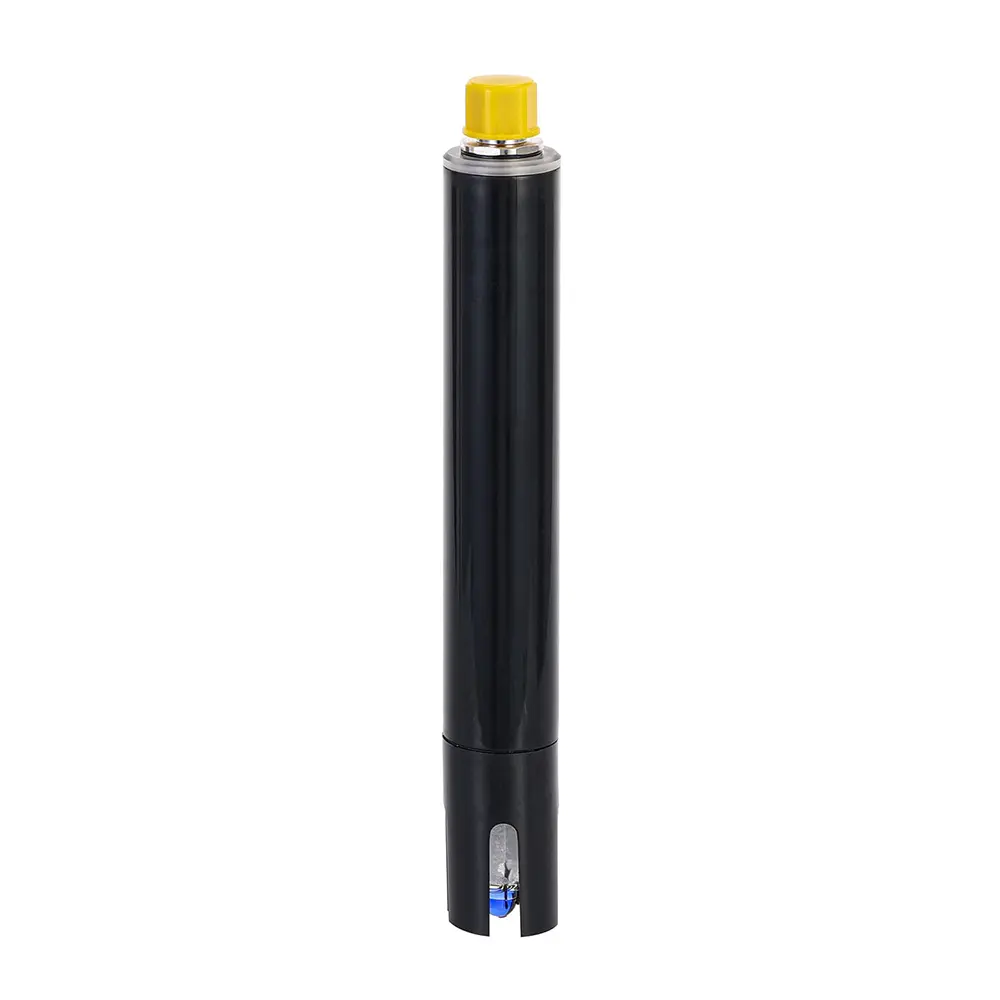


Accurate pH measurement is critical for water treatment, environmental monitoring, and industrial process control. Regular calibration ensures your pH sensor maintains its specified accuracy of ±0.1 pH. This guide provides step-by-step calibration instructions for the SPS-pH Water Quality Sensor based on the official manufacturer’s manual.
Why Calibration is Essential
pH sensors using the glass electrode method experience gradual signal drift due to electrode aging and reference electrolyte depletion. Without regular calibration, measurement errors can exceed acceptable limits, compromising data integrity in applications ranging from drinking water monitoring (typically 6.5-8.5 pH range) to industrial wastewater treatment.
Safety First: Pre-Calibration Preparations
WARNING: Only qualified personnel should perform calibration procedures. The sensor uses electrical connections and chemical solutions that require proper handling.
Required Materials:
- SPS-pH sensor (with RS485 Modbus interface)
- Certified pH buffer solutions (pH 4.01, 6.86, and 9.18 recommended)
- Distilled or deionized water
- Clean containers and lint-free tissues
- Modbus RTU communication interface
- DC power supply (12-24V)
Important: The sensor electrode must be activated and stored in 3 mol/L KCl solution before calibration. Factory-activated sensors should be kept moist at all times.
Method 1: Standard Solution Calibration (Recommended)
This method provides the highest accuracy using certified pH buffers. The SPS-pH sensor supports up to 5-point piecewise linear calibration for precision across different measurement ranges.
Standard Two-Point Calibration Procedure:
- Sensor Preparation
- Rinse the pH electrode thoroughly with distilled or deionized water
- Gently blot dry with a clean tissue (avoid rubbing the glass bulb)
- First Calibration Point (typically pH 6.86)
- Immerse the sensor in the first buffer solution
- Wait for the raw signal to stabilize (monitor Sig_mV register 0x9006)
- Write the stabilized Sig_mV value to register: Sig_mV1
- Write the buffer solution’s pH value to register: pH1
- Second Calibration Point (pH 4.01 or 9.18)
- Rinse the sensor with distilled water and blot dry
- Immerse in the second buffer solution
- Wait for signal stabilization
- Write the Sig_mV value to: Sig_mV2
- Write the pH value to: pH2
- Save Calibration Data
- Write value “1” to the control register: FittDataCtrl (0x8014)
- The sensor will save data to internal Flash and reset the register to 0
- Critical: Without this step, calibration data will be lost after power cycle
Multi-Point Calibration Advantage:
For applications requiring high precision across broad pH ranges, you can calibrate up to 5 points:
- 3-point calibration: pH 4.01, 6.86, 9.18
- 5-point calibration: Add pH 1.68 and 10.01 solutions
Important Note: After standard solution calibration, ensure any previous “actual water sample” calibration data is cleared to prevent double-correction errors.
Method 2: Actual Water Sample Calibration
NOTICE: Use this method only when the water sample’s exact pH is known and certified buffer solutions are unavailable.
Single-Point Calibration:
- Clean the sensor surface and place it in the known water sample
- Wait for the reading to stabilize
- Write the sample’s true pH value (must be >0) to register: pH_Calib (0x8010)
- To clear this calibration, write “-100” to the same register
Two-Point Calibration:
Requires two water samples with different known pH values. The sensor calculates pH_Zero and pH_Kp correction factors automatically when values are written to the corresponding calibration registers.
Temperature Calibration Procedure
pH measurement is temperature-dependent. The integrated PT1000 temperature sensor also requires periodic calibration.
Zero Calibration (0°C):
- Place the sensor in an ice-water mixture at standard atmospheric pressure
- After temperature reading stabilizes, write “-101” to register: TempCalib (0x800E)
- The sensor automatically records the zero point
Slope Calibration:
- Remove the sensor from the ice-water mixture
- Allow it to return to ambient temperature
- When the reading stabilizes, slope calibration is complete
Note: For most field applications, only slope calibration is necessary. The zero point is factory-set and typically doesn’t require adjustment.
Key Modbus Registers for Calibration
| Function | Register Address | Data Type | Description |
|---|---|---|---|
| Raw Signal Value | 0x9006 | F32 | Current Sig_mV reading for calibration |
| Calibration Group 1 | 0x8015-0x8018 | F32 | Sig_mV[1] and pH[1] data pair |
| Calibration Control | 0x8014 | I16 | Write 1 to save, -100 to clear all data |
| Actual Sample pH Input | 0x8010 | F32 | For single-point water sample calibration |
| Temperature Calibration | 0x800E | F32 | Write -101 for zero point, -100 to clear |
Recommended Calibration Schedule
- Standard Applications: Calibrate every 1-3 months
- Critical Applications: Calibrate every 2-4 weeks
- After Sensor Cleaning: Always calibrate after maintenance
- When Readings Drift: Immediate calibration needed
- Electrode Replacement: Annual replacement recommended for optimal performance
Troubleshooting Common Calibration Issues
Inaccurate Measurements After Calibration:
- Cause: Contaminated glass bulb, expired buffer solutions
- Solution: Clean electrode with recommended cleaner, use fresh buffers
Unstable Readings:
- Cause: Loose connections, power supply fluctuations
- Solution: Check all wiring, ensure stable 12-24V DC power
Communication Failures During Calibration:
- Cause: Incorrect Modbus parameters, wiring errors
- Solution: Verify address (default: 0x01), baud rate (9600), parity (None), data bits (8), stop bits (1)
Calibration Data Not Saving:
- Cause: Forgot to write to FittDataCtrl register
- Solution: Always write “1” to register 0x8014 after entering calibration data
Proper Sensor Storage Between Use
- Short-term (<48 hours): Store in 3 mol/L KCl solution. Never use distilled water.
- Long-term (>48 hours): Add fresh KCl solution to protective cap, tighten securely to prevent evaporation.
- Never store in distilled or deionized water for extended periods, as this causes ion leaching and reduces electrode lifespan.
Maintaining Calibration Integrity
- Environmental Control: Calibrate at stable temperatures (20-25°C preferred)
- Buffer Handling: Use fresh, uncontaminated buffers. Discard after use.
- Documentation: Record calibration date, buffer batch numbers, pre/post calibration values
- Verification: Periodically check calibration with a different buffer point
- Sensor Care: Handle glass electrode carefully; avoid scratches or mechanical shock
Conclusion
Regular, proper calibration is the most important factor in maintaining pH measurement accuracy. By following these manufacturer-recommended procedures and maintaining a consistent calibration schedule, you ensure reliable performance from your SPS-pH Water Quality Sensor throughout its service life. For application-specific calibration strategies or technical support, consult the complete user manual or contact our technical service team.
Remember: Consistent calibration practices protect your investment in water quality monitoring and ensure the reliability of your critical process data.